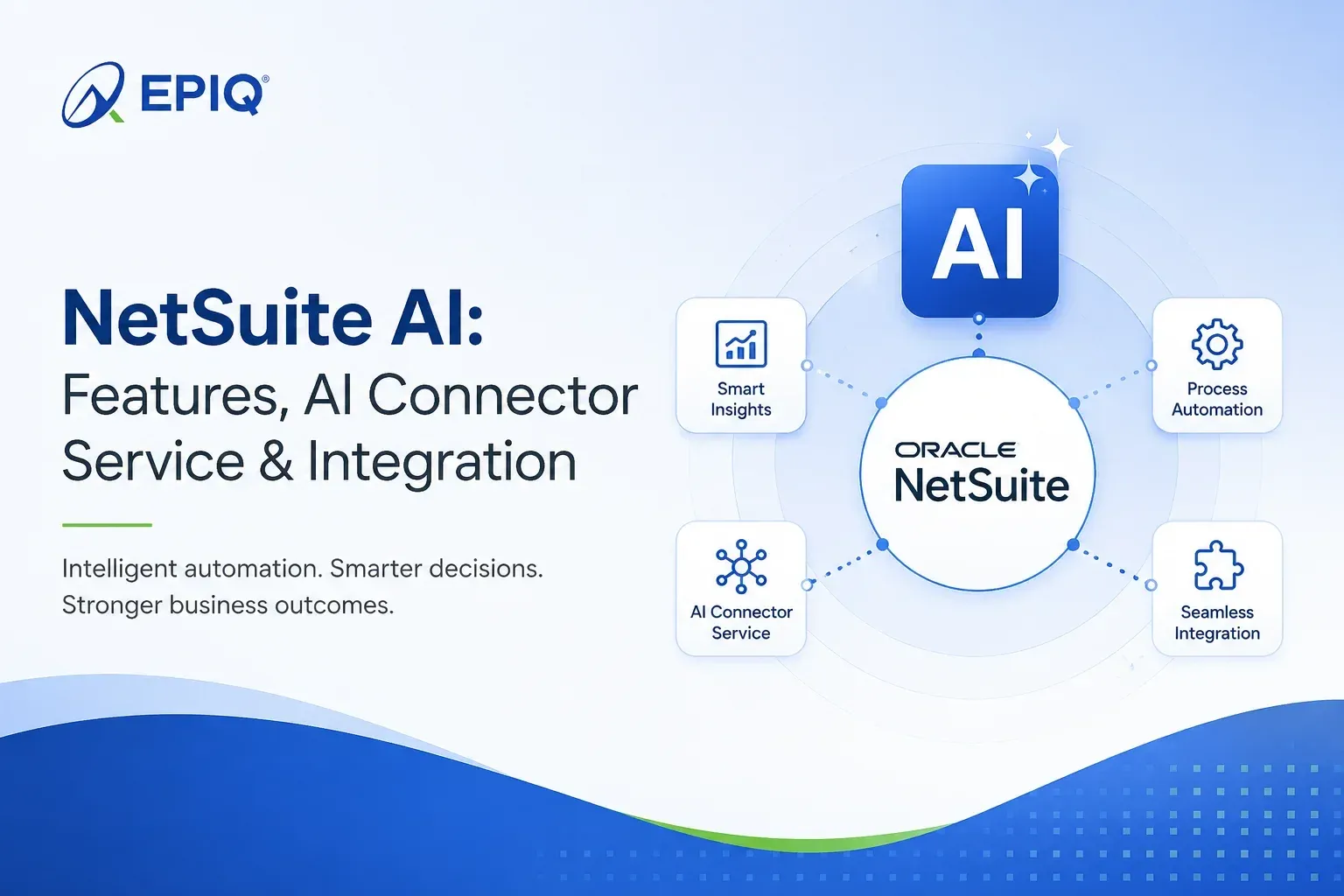
NetSuite AI used to mean a few helper features buried in menus. That has changed. As of the 2026.2 release, AI sits at the center of the platform through Ask Oracle and NetSuite Next, and Oracle now lets you plug your own AI tools, like Claude or ChatGPT, straight into your data with the NetSuite AI Connector Service. This guide explains what NetSuite AI actually includes today, how the AI Connector works, the different ways to approach NetSuite AI integration, and what it takes to get results you can trust.
The short version
- NetSuite AI covers two things: AI features built into NetSuite, and the ability to connect your own AI tools to NetSuite.
- Ask Oracle is the built-in assistant. You ask questions in plain language and get answers, reports, and charts.
- The NetSuite AI Connector Service lets outside AI tools like Claude and ChatGPT reach into NetSuite securely, using the open Model Context Protocol (MCP).
- Both respect your roles and permissions. AI only sees what the person or the connected tool is allowed to see.
- Results depend on the basics. Clean data, tidy roles, and good governance decide whether NetSuite AI helps or frustrates.
What Is NetSuite AI?
NetSuite AI is the set of artificial intelligence features inside NetSuite, plus the tools Oracle provides to connect outside AI to your NetSuite data. It includes the Ask Oracle assistant, AI that helps with tasks like bank reconciliation, invoice capture, and product configuration, and the NetSuite AI Connector Service that links tools such as Claude and ChatGPT to your account under your existing security rules.
It helps to split NetSuite AI into two groups, because people mix them up all the time.
- AI built into NetSuite. Features Oracle ships and runs for you, like Ask Oracle, Text Enhance, and smarter bank reconciliation. You turn them on by role.
- AI you connect to NetSuite. Your own AI tools, connected through the NetSuite AI Connector Service, so your team can work with NetSuite data from the assistant they already use.
The first group brings AI to you inside NetSuite. The second group lets AI reach into NetSuite from the outside. Knowing which direction you need is the first real decision, and we come back to it below.
Built-in featuresNetSuite AI Features Built Into the Platform
Oracle has stopped shipping AI as separate gadgets and started building it into the work people already do. Here are the features that matter most right now, with a plain note on what each one is for.
| Feature | What it does | Who uses it |
|---|---|---|
| Ask Oracle | Conversational assistant. Ask questions about your data, pull reports, find records, and build quick analyses on a canvas. | Everyone, by role |
| Smarter bank reconciliation | Suggests transaction matches, recommends the most likely match when several remain, and can auto-submit clean matches. | Finance, accounting |
| CFO Insights | Executive reports with written summaries that call out trends in labor cost and revenue. | CFOs, controllers |
| CPQ AI Assistant | Configure complex products by describing what the customer needs, instead of clicking through rules. | Sales, revenue ops |
| Text Enhance | Drafts and rewrites text in fields like item descriptions and email bodies. | Sales, marketing, service |
| Bill Capture | Reads vendor bills and turns them into transactions, cutting manual entry in accounts payable. | Accounts payable |
| Narrative Insights | Plain-language summaries of dashboards and analytics in NetSuite Analytics Warehouse. | Analysts, finance |
| Prompt Studio and generative APIs | Tools for teams to build their own prompts and AI-assisted flows with the SuiteScript generative AI capabilities. | Developers, admins |
Most of these are opt-in. You decide which ones to switch on and for whom, which is exactly how it should be. For a fuller picture of the AI added in the latest cycles, see our breakdowns of the 2026.2 release, the 2026.1 release AI features, and the 2025.2 release updates.
Not sure which NetSuite AI features fit your business?
Some are worth turning on today. Others need cleanup first. We will look at your setup and tell you where AI will actually help, and where it will not.
Book a free consultationWhat Is the NetSuite AI Connector Service?
The NetSuite AI Connector Service is Oracle's secure way to connect outside AI tools to NetSuite. It is built on the open Model Context Protocol (MCP), so AI tools like Claude and ChatGPT can read your NetSuite data and run approved actions. It authenticates with OAuth 2.0 and follows your role-based permissions, so an AI tool only sees what that role is allowed to see. You are not locked into one AI vendor.
Oracle announced the AI Connector Service in August 2025, and it has grown since. A helpful way to picture it: the connector is a standard port for your NetSuite account, like a USB-C port. Instead of building a one-off integration for every AI tool, you expose one governed connection that any compatible AI tool can plug into.
Two pieces make it work:
- MCP Standard Tools SuiteApp. A standard set of tools that outside AI tools can call using natural language. Every tool obeys your role-based security, so users and AI tools only reach what their role permits.
- AI Connector Service Companion. A library of more than 100 prompt templates written around NetSuite's data and terms, so you get consistent answers without becoming a prompt expert.
The connector reaches into records, reports, saved searches, and SuiteQL. It does not replace SuiteTalk, REST, or SuiteQL. It adds a governed context layer on top, which is what AI tools need to work safely against finance data.
How the NetSuite AI Connector Service works
The flow is simpler than the acronyms suggest. Here is what happens when someone asks a connected AI tool a question about NetSuite.
- Connect once. Your AI tool links to NetSuite through the AI Connector Service and discovers the tools it is allowed to use. This is a one-time setup with an occasional refresh when tokens expire.
- Ask. A user types a plain-language request, such as "list overdue invoices for our top ten customers."
- Reason. The AI tool works out that it needs NetSuite data and picks the right tools to call.
- Fetch under your rules. The connector translates the request into NetSuite queries and returns only the fields and records that role is permitted to see.
- Answer. The AI tool turns the data into an answer, and the session ends when the task is done.
Important setup note: you cannot run the connector as the Administrator role. NetSuite requires a dedicated custom role for AI Connector work, with OAuth 2.0 access-token permission and only the record permissions the AI actually needs. Scoping that role well is the difference between safe access and oversharing. We cover this end to end in our NetSuite MCP and AI Connector guide for US businesses.
NetSuite AI Connector Service vs Ask Oracle
Ask Oracle and the NetSuite AI Connector Service point in opposite directions. Ask Oracle is AI built inside NetSuite that you use from within the platform. The AI Connector Service lets AI tools outside NetSuite, like Claude or ChatGPT, reach in. Many businesses use both: Ask Oracle for people working inside NetSuite, and the connector for teams who live in an outside AI tool.
| Ask Oracle | NetSuite AI Connector Service | |
|---|---|---|
| Direction | AI inside NetSuite | Outside AI tools reaching into NetSuite |
| Where you work | Inside the NetSuite screen | In your own AI tool, such as Claude or ChatGPT |
| Runs on | Oracle's built-in assistant | Model Context Protocol (MCP) |
| Choose your AI | No, it is Oracle's | Yes, bring your own AI tool |
| Security | Your roles and permissions | OAuth 2.0 plus your roles and permissions |
Want to connect Claude or ChatGPT to NetSuite the right way?
Getting the AI Connector Service live safely is mostly about roles, permissions, and scoping. We set it up so your AI sees what it should and nothing more.
Talk to our NetSuite teamNetSuite AI Integration: Your Main Options
NetSuite AI integration means connecting AI to your NetSuite data and workflows. You have four practical routes: turn on NetSuite's built-in AI features, connect your own AI with the AI Connector Service and MCP, use NetSuite Analytics Warehouse for AI-assisted analysis, or build custom flows with the SuiteScript generative AI APIs. Most businesses combine two or three.
| Approach | Best for | What it needs |
|---|---|---|
| Built-in AI features | Fast wins inside daily work, like reconciliation and drafting | Enable by role, clean data |
| AI Connector Service (MCP) | Teams who want to query NetSuite from Claude or ChatGPT | Custom MCP role, OAuth 2.0, scoped permissions |
| Analytics Warehouse | Deeper analysis and blending NetSuite with other data | Warehouse license, data modeling |
| Custom generative flows | Tailored automations for your own processes | Developer time, SuiteScript generative AI APIs |
There is no single right answer. The best mix depends on where your teams already work, how clean your data is, and how much control you need over sensitive finance information. That is the conversation worth having before you buy or build anything.
By roleWhat NetSuite AI Means for Your Teams
The value shows up differently depending on the seat.
- Finance. Faster bank reconciliation, quicker month-end close, and executive summaries that explain the numbers instead of just showing them.
- Operations. Smarter reorder points and clearer planning, so you carry less stock without more stockouts.
- Sales. Faster, cleaner quotes through the CPQ AI Assistant, and less time lost to configuration errors.
- Administrators. A new job to do well: deciding who gets AI access, keeping roles tight, and making sure AI understands your custom records.
Getting NetSuite AI Right: Data, Roles, and Governance
Here is the part vendors skip. AI does not fix a messy account. It reflects it. If your data is duplicated and your roles are loose, AI will hand people confident answers that are wrong, which is worse than no answer at all. The teams that win with NetSuite AI put in the boring work first.
Clean, well-structured data
Duplicate customers, blank fields, and inconsistent naming all drag down AI answers. Basic data governance, consistent subsidiaries, departments, and classes, and steady cleanup pay off the moment you turn AI on.
Tight roles and permissions
Both Ask Oracle and the AI Connector Service follow your roles. Loose permissions become loose AI access. Review roles before you enable anything, and give the AI Connector its own scoped role rather than a broad one.
AI that understands your customizations
NetSuite can generate plain-language descriptions for custom records, fields, and transactions, and Advanced Record Customization gives administrators one place to review and correct them. This is how you help the AI understand your account, not just the standard setup.
Security and compliance
Use role-based access and encryption, and make sure AI use fits the rules you already follow, whether that is SOX for financial reporting or your own data-handling policies. For US finance teams, keeping AI inside a governed, permission-aware boundary is the whole point of the connector model.
Adoption and training
People trust what they understand. Give teams a few example prompts, set the expectation that AI answers get checked before action, and roll out by group rather than all at once.
Want NetSuite AI that people actually trust?
We get the foundations right first: data quality, roles, custom-record descriptions, and governance. Then we turn on the AI that fits your business.
Get a NetSuite AI readiness reviewHow to Get Started With NetSuite AI
You do not need a giant project to begin. A focused first step beats a stalled roadmap. Here is a sensible order.
- Pick one or two problems worth solving, such as slow reconciliation or manual bill entry.
- Check your data quality and roles in those areas, and fix the obvious gaps.
- Turn on the matching built-in AI feature for a small group and measure the time saved.
- If teams want to work from Claude or ChatGPT, plan the AI Connector Service with a dedicated, scoped role.
- Run AI descriptions and Advanced Record Customization on your key custom records.
- Set a simple rule that people validate AI answers before acting on them.
- Review results, then expand to the next team or use case.
Why Work With EPIQ for NetSuite AI
EPIQ Infotech works with NetSuite every day across managed services, support, integrations, and optimization. That matters for AI, because most AI problems are really data, role, and integration problems in disguise. We help you sort out the foundations, set up the AI Connector Service safely, and choose the built-in features that earn their keep. If you want a health check first, our NetSuite health check is a good place to start.
FAQNetSuite AI: Frequently Asked Questions
What is NetSuite AI?
NetSuite AI is the group of AI features inside NetSuite, plus the tools to connect your own AI to NetSuite. It includes the Ask Oracle assistant, AI for tasks like bank reconciliation and invoice capture, and the NetSuite AI Connector Service, which links tools such as Claude and ChatGPT to your data under your existing permissions.
What is the NetSuite AI Connector Service?
The NetSuite AI Connector Service is Oracle's secure way to connect outside AI tools to NetSuite using the open Model Context Protocol (MCP). It authenticates with OAuth 2.0, follows your role-based permissions, and exposes records, reports, saved searches, and SuiteQL to any compatible AI tool. It supports bringing your own AI, so you are not tied to one vendor.
Is the NetSuite AI Connector Service the same as Ask Oracle?
No. Ask Oracle is AI built inside NetSuite that you use from within the platform. The NetSuite AI Connector Service lets outside AI tools reach into NetSuite. Ask Oracle brings AI to you inside NetSuite. The connector lets your own AI tool pull NetSuite data from outside. Many businesses use both.
Which AI tools work with NetSuite?
Through the NetSuite AI Connector Service and MCP, tools like Claude and ChatGPT can connect to NetSuite. Because the connector is built on an open protocol, other MCP-compatible AI tools can connect too. You choose the AI tool that fits your business rather than being locked to one provider.
Is NetSuite AI secure?
NetSuite AI is designed to work within your existing security. Both Ask Oracle and the AI Connector Service respect role-based permissions, so a person or an AI tool only sees what the role allows. The connector adds OAuth 2.0 authentication and a dedicated scoped role. Good setup, tight roles, and data governance are what keep it secure in practice.
What is NetSuite AI integration?
NetSuite AI integration means connecting AI to your NetSuite data and workflows. The main routes are enabling built-in AI features, connecting your own AI with the AI Connector Service and MCP, using NetSuite Analytics Warehouse for analysis, or building custom flows with the SuiteScript generative AI APIs. Most businesses combine a few.
Do I need OAuth 2.0 for the NetSuite AI Connector?
Yes. The AI Connector Service uses OAuth 2.0 access tokens, and the connection runs through a dedicated custom role, not the Administrator role. The role needs the OAuth 2.0 access-token permission and only the record permissions the AI actually requires.
How much does NetSuite AI cost?
It varies. Some AI features are included in NetSuite, others need additional licensing, and connecting your own AI relies on your AI provider's own plan. Availability also depends on your account and region. Confirm the specifics for your account with Oracle or your NetSuite partner before you plan a rollout.
Ready to put NetSuite AI to work?
Whether you want quick wins from built-in features or a governed connection to Claude or ChatGPT, EPIQ Infotech can plan it, secure it, and support it. Tell us your goals and we will map the next step.
Get started with EPIQRelated NetSuite guides from EPIQ
- NetSuite MCP and AI Connector: the complete guide for US businesses
- NetSuite Next: how AI is reshaping the ERP you thought you knew
- NetSuite Release 2026.2: features, AI updates, and upgrade guide
- NetSuite 2026.1 release: AI features and updates explained
- The ultimate guide to NetSuite saved searches
Sources: Oracle NetSuite official product materials for the AI Connector Service and NetSuite AI, plus NetSuite's 2026.2 release information. Feature availability, licensing, and region support are set by Oracle and can change. This guide is practical interpretation from EPIQ Infotech and is not a substitute for Oracle's official documentation.

Santosh Krishnamoorthy is a Principal ERP Consultant at EPIQ Infotech, with extensive experience in NetSuite and enterprise systems. He works with finance and operations teams to improve reporting accuracy, streamline workflows, and build ERP environments that support sustainable growth. His writing focuses on practical insights drawn from real implementation and support experience.
Free Consultation
Talk to a NetSuite Expert
Response within 1 hour