Table of Contents
- What Is an ERP Module?
- Why ERP Modules Matter in 2026
- The 14 Core ERP Modules Explained
- Quick-Reference Comparison Table
- How ERP Modules Work Together
- Key Benefits of Implementing ERP Modules
- ERP Module Trends Shaping 2026 and Beyond
- How to Choose the Right ERP Modules for Your Business
- Common Mistakes to Avoid
- Conclusion: Building a Smarter Business with NetSuite
What Is an ERP Module?
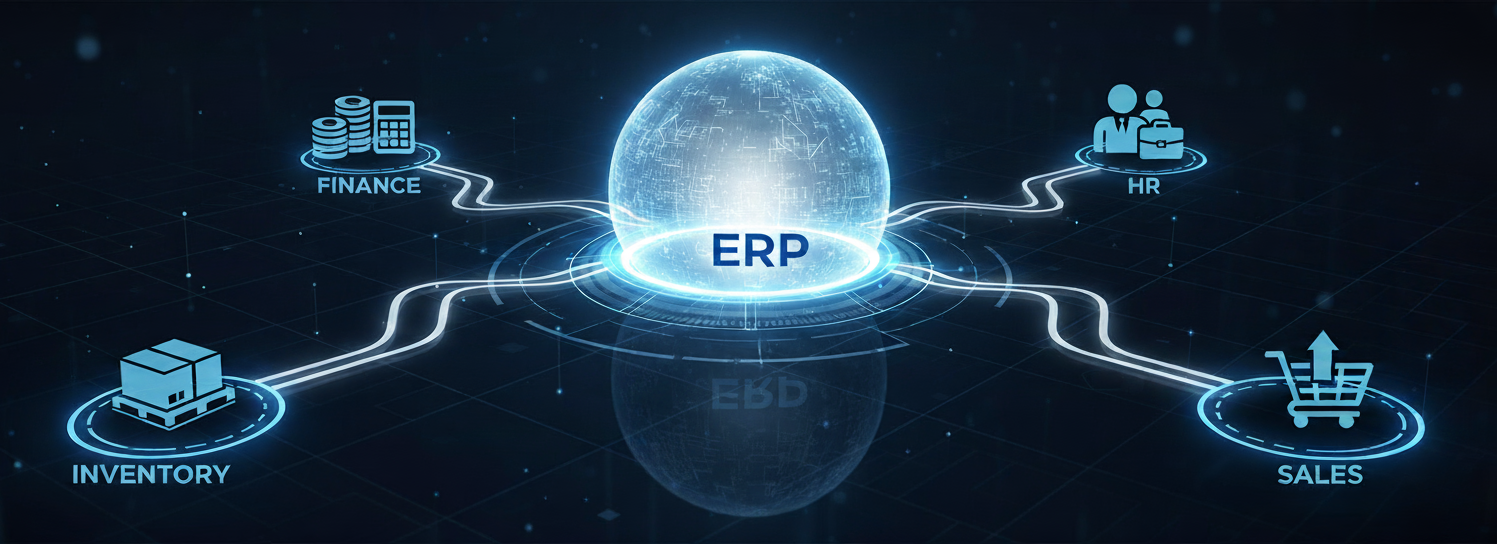
An ERP (Enterprise Resource Planning) module is a self-contained functional component within a larger ERP system. Each module is purpose-built to manage a specific business area, such as finance, inventory, human resources, or procurement, while sharing a common database with every other module in the suite.
Think of it this way: if the ERP platform is the central nervous system of your organization, each module is a specialized organ. The finance module handles the heartbeat of cash flow. The supply chain module manages the circulation of goods. And the CRM module processes every customer interaction. Independently, each module is powerful. Together, they form a unified enterprise.
This modular architecture makes modern ERP systems flexible. A startup might begin with finance and inventory modules, then add manufacturing, HR, and analytics as it scales. Because every module draws from the same real-time data source, there are no silos, duplicate entries, or reconciliation issues.
Why ERP Modules Matter in 2026
The ERP market continues to expand rapidly. Cloud-based ERP deployments now represent more than half of new implementations, and hybrid models continue growing steadily.
AI-Embedded ERP
By 2025, most ERP vendors had integrated AI and machine learning directly into their modules. Organizations using AI-enabled ERP report improved forecasting accuracy and measurable cost reductions.
Composable Architecture
Businesses are shifting away from rigid systems toward modular ERP environments that allow independent updates and scaling.
Real-Time Decision-Making
Embedded dashboards allow leaders to act on live operational data instead of waiting for static reports.
SME Adoption Surge
Small and mid-sized businesses increasingly rely on ERP platforms to replace disconnected point solutions.
The 14 Core ERP Modules Explained
Finance and Accounting
General ledger, AP/AR, tax management, cash flow forecasting, and financial close automation.
Procurement and Purchasing
Purchase orders, vendor management, RFQs, spend analytics, and three-way matching.
Inventory Management
Real-time stock tracking, reorder automation, demand planning, and valuation methods.
Order Management
Sales orders, pricing rules, fulfillment workflows, returns management.
Warehouse Management
Bin tracking, barcode scanning, pick-pack-ship workflows, labor planning.
Manufacturing and Production Planning
BOM management, MRP, work orders, quality inspections, and scheduling.
Supply Chain Management
Demand planning, logistics tracking, landed cost calculations, and supplier collaboration.
Customer Relationship Management (CRM)
Pipeline tracking, case management, campaign execution, customer insights.
Human Resource Management (HRM / HCM)
Payroll, recruitment, benefits, workforce analytics, and compliance management.
Project Management
Task scheduling, budgeting, time tracking, milestone billing, and profitability analysis.
E-Commerce
Web store integration, real-time pricing, omnichannel management.
Business Intelligence and Analytics
Dashboards, KPIs, predictive analytics, trend reporting.
Marketing Automation
Email campaigns, lead scoring, ROI analytics, segmentation.
Professional Services Automation (PSA)
Resource allocation, utilization tracking, contract billing, service analytics.
Quick-Reference Comparison Table
| ERP Module | Primary Purpose | Key Functions |
|---|---|---|
| Finance & Accounting | Financial control | GL, AP/AR, tax, close |
| Procurement | Purchase management | POs, vendor mgmt |
| Inventory | Stock visibility | Tracking, reorder |
| CRM | Customer insights | Pipeline, cases |
| HRM | Employee lifecycle | Payroll, recruiting |
How ERP Modules Work Together
ERP delivers value through data integration. An order placed in e-commerce flows through order management, inventory, warehouse, supply chain, finance, CRM, and analytics in real time. Every update reflects instantly across the system.
Key Benefits of Implementing ERP Modules
Single Source of Truth
Unified database eliminates conflicting data.
Operational Efficiency
Automation reduces manual processes and improves productivity.
Improved Compliance
Audit trails and role-based access reduce regulatory risk.
Scalability
Add modules as the business grows without replacing the system.
Better Decision-Making
Real-time analytics support proactive leadership.
Customer Experience
Integrated modules create consistent service across touchpoints.
ERP Module Trends Shaping 2026 and Beyond
Autonomous ERP Agents
AI agents analyze data and execute workflows with minimal intervention.
Composable Architectures
Modular ERP environments allow flexible upgrades and scaling.
Industry-Specific Modules
Preconfigured vertical solutions reduce customization time.
ESG Reporting
Built-in sustainability tracking supports regulatory compliance.
Embedded AI
Machine learning enhances forecasting, classification, and recommendations.
How to Choose the Right ERP Modules for Your Business
Map your core revenue-driving processes. Audit your current systems. Prioritize impact over feature count. Plan for long-term scalability. Evaluate vendor ecosystems and integration capabilities.
Common Mistakes to Avoid
Over-Customizing Early
Excessive customization increases cost and upgrade complexity.
Ignoring Change Management
Training and leadership alignment are critical.
Treating ERP as an IT Project
ERP is a business transformation initiative.
Buying Unnecessary Modules
Phase rollout strategically.
Conclusion: Building a Smarter Business with NetSuite
ERP modules are strategic assets that power real-time decision-making and scalable growth. Oracle NetSuite delivers a unified cloud ERP platform with finance, inventory, CRM, HR, analytics, and more—all built on a single database. Its modular structure allows businesses to start lean and scale confidently as operations expand.
Frequently Asked Questions
What is an ERP module?
An ERP module is a functional component within an Enterprise Resource Planning system that manages a specific business process, such as finance, inventory, procurement, CRM, or HR. All modules share a unified database, allowing real-time data flow across departments without duplication or reconciliation issues.
How many core ERP modules are there?
Most modern ERP systems include 14 core modules: Finance & Accounting, Procurement, Inventory Management, Order Management, Warehouse Management, Manufacturing, Supply Chain Management, CRM, HRM/HCM, Project Management, E-Commerce, Business Intelligence & Analytics, Marketing Automation, and Professional Services Automation. Vendors may bundle or rename modules, but these represent the standard functional structure.
Which ERP module should a business implement first?
Finance and Accounting should almost always be implemented first. It centralizes financial control, supports compliance, and provides the reporting foundation needed before adding operational modules like inventory, manufacturing, or CRM.
How do ERP modules work together?
ERP modules operate on a single database. When one module updates data, every connected module reflects that change instantly. For example, an online order flows from e-commerce to order management, inventory, warehouse, finance, CRM, and analytics automatically without manual data transfers.
What is the difference between inventory management and warehouse management in ERP?
Inventory management tracks stock levels, valuation, and replenishment planning. Warehouse management focuses on physical movement inside storage facilities, including bin tracking, picking, packing, and shipping workflows. Inventory answers “what do we have?” while warehouse management answers “where is it and how does it move?”
Why are ERP modules important for small and mid-sized businesses?
ERP modules eliminate disconnected software tools, reduce manual processes, and create a single source of truth. For SMEs, this improves operational visibility, financial accuracy, and scalability without needing enterprise-level IT infrastructure.
What makes NetSuite ideal for modular ERP growth?
NetSuite is cloud-based and built for scalability. You can start with essential modules and add more as you expand—without reimplementation or complex integration.
How do I know which ERP module fits my business challenge?
Match your current problems to the right module. For example:
Slow month-end close → Finance module
Payroll errors → HR module
Lost leads → CRM module
Stock issues → Inventory module
Can NetSuite support both startups and large enterprises?
Yes. NetSuite’s unified architecture and SuiteSuccess models make it flexible enough for startups and robust enough for global enterprises.
Why is modular ERP better than traditional ERP?
Modular ERP gives flexibility—you only pay for what you need and expand as your operations grow. It’s cost-effective, faster to deploy, and easier to maintain.