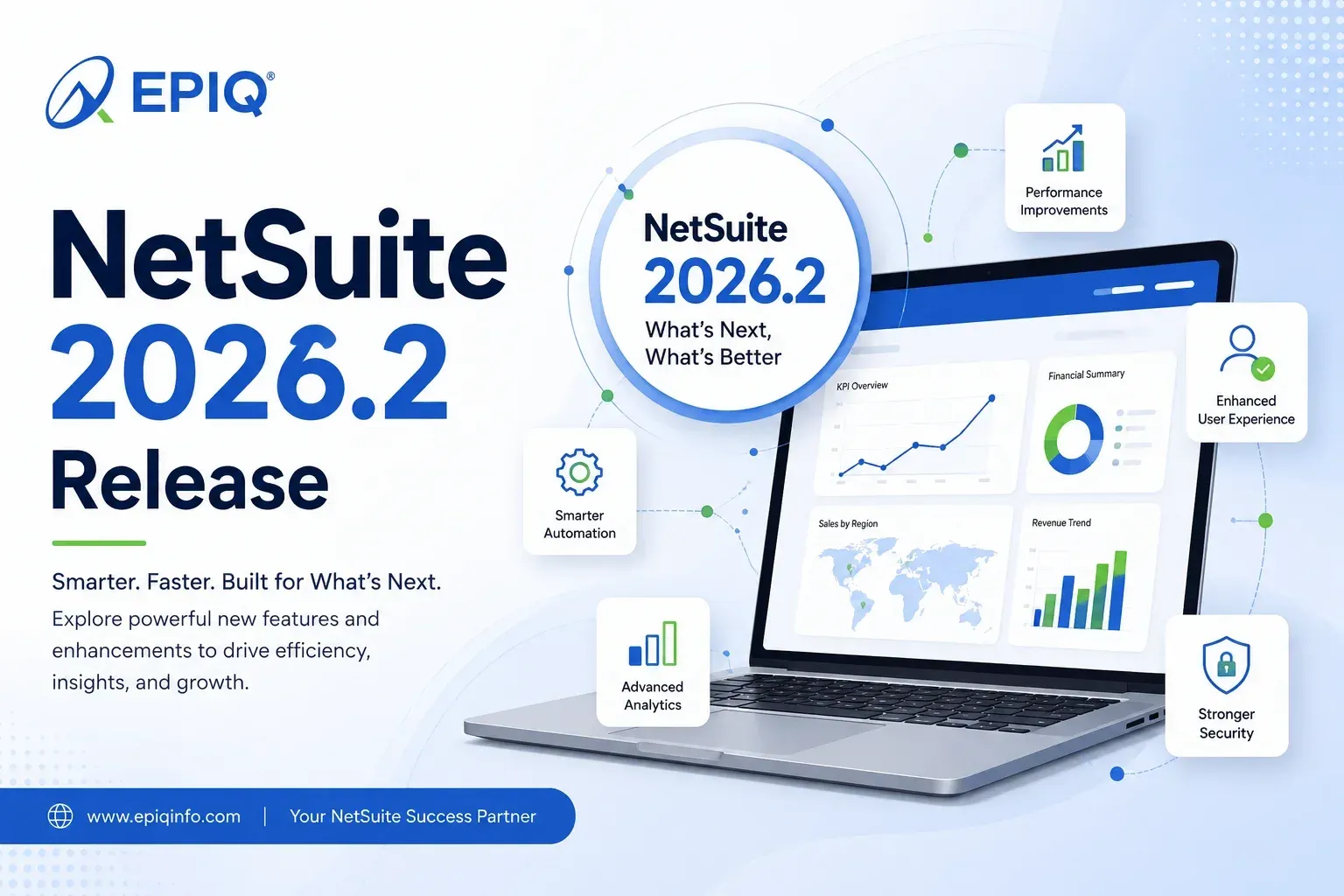
NetSuite 2026.2 is the release where AI moves from a set of add-ons into the core of the platform. Oracle announced it on July 15, 2026, and it kicks off the rollout of NetSuite Next and the Ask Oracle assistant. But the release is bigger than the AI headlines. It brings finance, inventory, pricing, and analytics improvements, plus important signals about where authentication and integrations are heading. This guide explains what changed, why it matters, who is affected, and exactly what your team should test before and after the upgrade.
NetSuite 2026.2 at a glance
- What it is: The second standard NetSuite release of 2026, upgraded to accounts on a staggered schedule.
- The headline: The start of the NetSuite Next rollout and Ask Oracle, a conversational AI assistant.
- Availability: Ask Oracle and NetSuite Next are launching for United States and Canada accounts first, with more countries planned.
- Beyond AI: Smarter bank reconciliation, CFO Insights reports, Inventory Optimization, a CPQ AI Assistant, and Excel export for saved searches.
- Plan ahead: 2026.2 adds passkey sign-in and starts the countdown on authentication changes that land in 2027.1.
What Is NetSuite 2026.2?
NetSuite 2026.2 is the second of Oracle's two standard NetSuite releases in 2026. It delivers new features across finance, supply chain, sales, analytics, and administration, and it begins the phased rollout of NetSuite Next and the Ask Oracle AI assistant. Oracle upgrades accounts on a staggered schedule, so the new capabilities appear in your account on your assigned upgrade date, not all at once.
NetSuite runs on a shared platform and updates every customer twice a year. You do not download or install anything. Instead, Oracle applies the release to your account during a scheduled window. For 2026.2, Oracle announced the release on July 15, 2026, and began upgrading accounts in phases from around mid-August through the end of the third quarter. Your specific date is shown in the New Release Portlet on your NetSuite dashboard.
The important point for planning: a release date is not a surprise. You get a Release Preview account ahead of your production upgrade so you can test how the new version behaves with your real data, workflows, and customizations. That preview window is where smart teams do their work.
SummaryWhat's New in NetSuite 2026.2?
The biggest change in NetSuite 2026.2 is AI moving into everyday work. Oracle is rolling out NetSuite Next, a redesigned experience with AI built in, and Ask Oracle, an assistant you can talk to in plain language. Alongside AI, the release improves bank reconciliation, adds CFO Insights reports, introduces Inventory Optimization and Rough-Cut Capacity Planning, and lets you export saved searches straight to Excel.
Rather than shipping AI as separate tools, Oracle has woven it into the workflows people already use: matching bank transactions, configuring quotes, planning inventory, and summarizing reports. The result is a release that touches finance teams, operations teams, sales teams, administrators, and developers in different ways. Here is a quick map before we go deeper.
| Area | Key 2026.2 additions | Who feels it most |
|---|---|---|
| AI and experience | NetSuite Next rollout, Ask Oracle assistant, AI descriptions for customizations | All users, administrators |
| Finance | Smarter bank reconciliation, Payment Runs, CFO Insights reports, automated payment adjustments | Controllers, accounting, CFOs |
| Inventory and manufacturing | Inventory Optimization, Rough-Cut Capacity Planning, pegging analysis | Planners, operations |
| Sales and pricing | CPQ AI Assistant, Advanced Pricing enhancements | Sales, revenue operations |
| Analytics | Export saved searches to Excel, Analytics Warehouse improvements | Analysts, finance |
| Security and admin | Passkey sign-in, authentication roadmap for 2027.1 | IT, administrators, developers |
Top NetSuite 2026.2 Features and Enhancements
We have prioritized the changes with real business and technical impact rather than listing every minor tweak. For the full technical inventory, your official 2026.2 release notes inside NetSuite remain the source of truth.
AI woven across the suite
AI is the defining theme of 2026.2, and most of it is opt-in. A few capabilities matter beyond the assistant itself:
- AI descriptions for customizations. NetSuite can generate plain-language descriptions for custom records, fields, and transactions. These descriptions help the platform's AI understand your specific setup, which improves the quality of AI answers about your data.
- Advanced Record Customization (ARC). Administrators get a central place to review, manage, and override those AI descriptions. This is the control point that keeps AI accurate in a heavily customized account.
- CPQ AI Assistant. Sales reps can configure complex products by describing what the customer needs in natural language instead of clicking through configuration rules.
- CFO Insights. Selected executive reports now include AI-generated summaries that call out trends without manual review.
Business-impact spotlight: AI-assisted bank reconciliation
What changed? NetSuite 2026.2 upgrades bank reconciliation with an AI match-suggestions interface and a redesigned Match Bank Data page. When several possible matches remain, a matching assistant can recommend the single most likely general ledger transaction.
How it works. The system compares imported bank data against open transactions, suggests matches, can create suggested payments for open invoices and payables, and can auto-submit clean matches. Expanded audit trails record who matched and reconciled each item.
Why it matters. Reconciliation and month-end close are where finance teams lose hours. Cutting manual matching shortens the close and gives auditors a clearer trail.
Who benefits. Controllers, accounting staff, and finance leaders who own the close.
What to review. Test the match suggestions against a full month of real data in your Release Preview account. Confirm the auto-submit behavior matches your control policy, and check that the expanded audit trail satisfies your auditors before you rely on it in production.
Finance and accounting
For finance, NetSuite 2026.2 focuses on speeding up the close and reducing manual entries. The standout items are smarter bank reconciliation, Payment Runs for batch accounts-payable processing, two new CFO Insights labor reports, and automated payment adjustments for bank fees and underpayments.
- Payment Runs. Process accounts-payable payments in batches instead of one at a time.
- CFO Insights reports. A Labor Costs Report and a Labor Costs and Revenue Insights Report give visibility into labor spend across subsidiaries, departments, and locations, with optional AI summaries.
- Automated payment adjustments. Small bank fees and underpayments can be handled automatically, cutting manual journal entries.
- Close management. Continued enhancements help standardize and track period-end tasks.
Inventory, supply chain, and manufacturing
- Inventory Optimization. Reorder-point planning that uses demand patterns, lead times, and service-level targets. It adds ABC and 123 segmentation, automated reorder-point optimization, optimized safety stock, and exception management for shortages and overstocks.
- Rough-Cut Capacity Planning (RCCP). Planners can compare required labor and machine capacity against available work-center capacity before they schedule production, so bottlenecks surface earlier.
- More planning depth. New pegging analysis workbooks for supply planning, initial average cost support, bulk manufacturing cost updates, better handling of zero-quantity components, and improvements for vendor consigned inventory.
Sales, pricing, and CPQ
- CPQ AI Assistant. Configure highly customized products through a natural-language conversation, which reduces quoting errors.
- Advanced Pricing. Better pricing visibility on sales orders, dynamic item collections, price-level views, a Sales by Price Rule report, and bulk pricing imports through CSV.
Analytics and reporting
- Excel export. Export saved searches, reports, and lists directly to modern Excel files.
- Analytics Warehouse. Transfer saved searches into NetSuite Analytics Warehouse and import Salesforce data for combined analysis.
- AI summaries. Select executive reports can generate written summaries of the numbers.
Security and usability
- Passwordless sign-in. Users can set up passkeys to log in, and FIDO2 passkeys can act as the second authentication factor, replacing a separate authenticator app on supported devices.
- Everyday improvements. Start order fulfillment directly from sales-order lists, expanded CSV import, and cleaner navigation across several modules. Individually small, together they cut clicks.
Not sure which 2026.2 features apply to your account?
The release touches finance, operations, sales, and administration differently. EPIQ can map the changes that actually matter for your configuration and help you plan a focused test.
Talk to EPIQ's NetSuite teamAsk Oracle in NetSuite 2026.2
Ask Oracle is NetSuite's conversational AI assistant. It lets you use plain language to ask questions about your data, generate reports, surface insights, find records, and complete everyday tasks without navigating menus. It sits at the center of NetSuite Next, and 2026.2 makes it available inside the current NetSuite experience too, for eligible accounts in the United States and Canada.
Instead of building a saved search, you can ask something like "show me the top customers with overdue invoices" and get an answer. Ask Oracle handles both simple questions, such as how to do something in NetSuite, and more involved analysis, such as explaining why a cost went up and producing a narrative or chart to go with it.
When you want to go deeper, you can move from a chat into a canvas, a workspace for ad hoc dashboards and analysis. On a canvas you can organize KPI scorecards, charts, tables, and text as you refine your thinking, then print or export the result as a PDF.
Two design points matter for trust. First, Ask Oracle works within your existing roles and permissions, so a user only sees what they are already authorized to see. Second, every response includes a Show Explanation option so you can see how the answer was produced, plus thumbs-up and thumbs-down feedback that improves results over time. As with any AI output, users should still validate answers before acting on them.
What does Ask Oracle mean for NetSuite administrators?
Ask Oracle is only as good as the account behind it, and that is where administrators come in. When your account reaches 2026.2, the administrator sees a banner about enabling Ask Oracle, and access is granted by role. Before you turn it on broadly, plan for the following:
- Roles and permissions. Ask Oracle respects them, so tighten and clean up roles first. Loose permissions become loose AI answers.
- Data quality. Duplicate customers, blank fields, and inconsistent naming all degrade AI results. Clean data pays off immediately here.
- Custom records and fields. Use AI descriptions and Advanced Record Customization so the assistant understands your custom setup, not just the standard schema.
- Reporting structures. Consistent subsidiaries, departments, and classes make AI analysis far more reliable.
- Governance and training. Decide who gets access, set expectations that answers are validated, and give users a few example prompts to build confidence.
This preparation is exactly the kind of work our NetSuite optimization services focus on: getting roles, data, and customizations into shape so new capabilities perform well.
Clarify the termsNetSuite 2026.2 vs NetSuite Next vs Ask Oracle
These three terms are related but not interchangeable. NetSuite 2026.2 is the twice-yearly product release. NetSuite Next is the redesigned, AI-embedded experience that begins rolling out with 2026.2. Ask Oracle is the conversational AI assistant at the core of NetSuite Next, which 2026.2 also brings into the current experience. Release Preview is the test environment you use before your production upgrade.
| Term | What it is | How you get it | Availability |
|---|---|---|---|
| NetSuite 2026.2 | The standard product release for the second half of 2026 | Applied automatically to your account on your scheduled date | All accounts, staggered schedule |
| NetSuite Next | Oracle's redesigned experience with the Redwood design system and AI built in | Not automatic. Your account is notified, then the administrator requests access | Phased rollout, United States and Canada first |
| Ask Oracle | The conversational AI assistant inside NetSuite Next, also surfaced in the current experience | Administrator enables it by role after the 2026.2 upgrade | Eligible United States and Canada accounts, more countries planned |
| Release Preview | A copy of your account for testing the upcoming release | Request it before your production upgrade | Available to all accounts ahead of the upgrade |
Is NetSuite Next part of 2026.2? It begins with 2026.2, but it is not switched on automatically. Your account is upgraded to 2026.2 first. NetSuite Next then becomes available on Oracle's schedule, and your administrator chooses when to adopt it, one team at a time. There is no data migration or reimplementation to move to it.
By roleWhat NetSuite 2026.2 Means for Finance Teams
Finance sees the most direct payoff in 2026.2. Reconciliation gets faster with AI match suggestions and the redesigned Match Bank Data page. Payment Runs make accounts-payable batches practical. CFO Insights add labor and revenue visibility with AI summaries. Automated adjustments trim the small manual journal entries that clog the close.
What to do: pick your highest-volume reconciliation and run it end to end in Release Preview. Confirm the AI suggestions are trustworthy for your bank feeds, verify auto-submit fits your controls, and check that the new audit trails give your auditors what they expect. If you rely on outside accounting support, our NetSuite support services can help validate close processes before go-live.
What NetSuite 2026.2 Means for IT and NetSuite Administrators
For administrators, 2026.2 is a governance moment as much as a feature release. You control whether Ask Oracle and NetSuite Next are enabled and for whom. You also own the data quality, roles, and custom-record descriptions that decide how well AI performs. And you are the person who needs to read the authentication roadmap carefully, because the real work lands in the next release.
Priorities: review the banner and plan a phased Ask Oracle rollout by role, clean up permissions, run AI descriptions and Advanced Record Customization on key custom records, and start an integration inventory now. Ongoing administration of exactly this kind is what our NetSuite managed services team handles day to day.
What NetSuite 2026.2 Means for Developers and Integration Teams
NetSuite 2026.2 does not break existing integrations or customizations. Nothing you run today stops working because of this release. What 2026.2 does is confirm the authentication changes coming in 2027.1, which makes now the right time to inventory your SuiteScripts, RESTlets, and integrations and plan a migration to OAuth 2.0.
Developers should treat the Release Preview window as regression testing time. Run your SuiteScript, SuiteQL queries, saved searches, workflows, and integrations against the preview account and confirm behavior before your production date. Pay attention to anything that authenticates using older methods, because that is where the roadmap is heading. We cover the practical steps in EPIQ's TBA to OAuth 2.0 migration guide, and our NetSuite customization services team supports SuiteScript reviews.
Existing environmentNetSuite 2026.2 Changes That Could Affect Your Existing Environment
New features are only half the story. The changes worth testing are the ones that touch what you have already built. Use this as a starting checklist for your Release Preview testing, and only act on what actually applies to your account.
| Category | What to check in Release Preview |
|---|---|
| Customizations | SuiteScript behavior, workflows, custom records and fields, SuiteQL queries, and saved searches still run and return expected results |
| Integrations | REST and SOAP calls, RESTlets, and third-party connectors and middleware continue to authenticate and exchange data correctly |
| Finance | Reconciliation, transaction matching, payment processing, and financial reports produce the numbers you expect under the new interfaces |
| Operations | Inventory replenishment, manufacturing planning, procurement, and fulfillment flows behave correctly with the new planning tools |
| Security | Roles and permissions still grant the right access, especially before you enable Ask Oracle, and passkey sign-in is tested for the users who will use it |
The point is not to fear the upgrade. Most accounts move to a new release with no issue. The point is that a short, targeted test of your customizations and integrations in Release Preview is far cheaper than finding a problem in production.
Integrations and authNetSuite 2026.2 Integration and Authentication Changes
NetSuite 2026.2 itself does not change how your existing integrations authenticate. It adds passkey sign-in for users, and it confirms authentication changes that take effect in the 2027.1 release. From 2027.1, integrations that use NLAuth are expected to stop working, and you will no longer be able to create new Token-Based Authentication (TBA) integrations. OAuth 2.0 is the long-term standard.
This is the section to read slowly, because it is easy to misread. Here is the accurate timeline, based on Oracle's release documentation as reported through mid-2026.
| Change | When | What it means for you |
|---|---|---|
| Passkey sign-in for users | Available in 2026.2 | Optional stronger, simpler login. Nothing breaks if you do not use it. |
| NLAuth retired for integrations | Planned for 2027.1 | Integrations that send account, email, and password (including RESTlets on NLAuth) are expected to stop working. Migrate them. |
| No new TBA integrations | Planned for 2027.1 | Existing TBA integrations keep running, but you cannot create new ones. Build new work on OAuth 2.0. |
| PKCE required for new OAuth 2.0 auth-code flows | Planned for 2027.1 | Build OAuth 2.0 with PKCE now so you do not rework clients later. |
| Full TBA and SOAP retirement | Signaled for a later release (around 2028) | Existing TBA and SOAP integrations are expected to be retired eventually. Assume they need to move. |
Read it this way: 2026.2 is the warning shout, not the deadline. Existing integrations run fine after your 2026.2 upgrade. The deadline is 2027.1. The right move now is an integration inventory and a phased migration plan, not a panic. Always confirm exact dates against your own official 2026.2 release notes inside NetSuite, since Oracle can adjust timing.
A practical starting point: ask for a current list of every integration authenticating to NetSuite, classify each one by its authentication method, rank them by business risk, and rebuild the riskiest on OAuth 2.0 first. Never test migrations in production. Use a Sandbox or Release Preview account and run old and new integrations in parallel so you can compare results.
Concerned about NetSuite integration or authentication changes?
The 2027.1 changes are manageable with a plan and painful without one. EPIQ can inventory your integrations, classify them by authentication method and risk, and map a phased move to OAuth 2.0.
Request an integration reviewHow to Prepare for the NetSuite 2026.2 Upgrade
Preparation is straightforward when you use the preview window Oracle gives you. The goal is simple: know your upgrade date, test what matters, and enter production with no surprises.
- Find your date. Check the New Release Portlet for your scheduled upgrade window.
- Request Release Preview. Get a preview account so you can test against your real data and customizations.
- Read the release notes for your account. Focus on the modules and features you actually use.
- Flag anything that needs new licensing. Some capabilities require it. Confirm before you plan a rollout.
- Plan your AI rollout. Decide who gets Ask Oracle and NetSuite Next, and in what order, based on roles and readiness.
- Assign owners. Give each area, finance, operations, integrations, a named person to test and sign off.
NetSuite 2026.2 Upgrade Testing Checklist
Use this as a working test plan inside your Release Preview account. Skip the lines that do not apply to your business, and document every issue with an owner and a fix.
- Review the official 2026.2 release notes for the modules you use.
- Confirm your upgrade date in the New Release Portlet.
- Inventory customizations: SuiteScripts, workflows, custom records, and custom fields.
- Run and validate key SuiteQL queries and saved searches.
- Test critical workflows end to end and confirm they still complete.
- Validate your most-used reports and dashboards against known figures.
- Test every integration and third-party connector for successful authentication and data flow.
- Classify each integration by authentication method (NLAuth, TBA, OAuth 2.0) and flag what must migrate before 2027.1.
- Test financial processes: bank reconciliation, transaction matching, and payment runs.
- Test order-to-cash from sales order through fulfillment and invoicing.
- Test procure-to-pay from purchase order through vendor bill and payment.
- Test inventory replenishment and any manufacturing planning you rely on.
- Verify roles and permissions before enabling Ask Oracle for any group.
- Run AI descriptions and Advanced Record Customization on key custom records.
- Document issues, assign owners, and note a mitigation or rollback approach where it makes sense.
- Communicate the changes and any new steps to affected users before go-live.
- Monitor production for the first days after upgrade, watching auth failures and report accuracy.
Preparing for your NetSuite 2026.2 upgrade?
EPIQ can review your customizations, integrations, workflows, and critical financial processes in Release Preview, then hand your team a clear, prioritized test plan.
Plan your 2026.2 upgrade with EPIQNetSuite 2026.2: What Businesses Should Do Next
Treat 2026.2 as two projects that overlap. The first is a normal release test: preview, validate, and go live cleanly. The second is a readiness project for what AI and the authentication roadmap mean for your business over the next year.
- Short term. Test in Release Preview, then upgrade. Decide whether to enable Ask Oracle now and for whom.
- Medium term. Improve data quality, roles, and custom-record descriptions so AI performs well when you adopt NetSuite Next.
- Before 2027.1. Inventory your integrations and start migrating anything on NLAuth or new TBA work to OAuth 2.0 with PKCE.
If you want a partner for any of this, EPIQ works across the full lifecycle, from NetSuite implementation services to NetSuite integration services and ongoing support.
FAQFrequently Asked Questions About NetSuite 2026.2
What are the main features of NetSuite 2026.2?
The main features are the NetSuite Next rollout and the Ask Oracle AI assistant, plus smarter AI-assisted bank reconciliation, CFO Insights labor reports, Payment Runs for batch accounts payable, Inventory Optimization, Rough-Cut Capacity Planning, a CPQ AI Assistant, Advanced Pricing improvements, Excel export for saved searches, and passkey sign-in.
Is NetSuite Next part of NetSuite 2026.2?
NetSuite Next begins rolling out with 2026.2, but it is not enabled automatically. Your account is upgraded to 2026.2 first, then NetSuite Next becomes available on Oracle's schedule and your administrator requests access. There is no data migration or reimplementation to adopt it.
What is Ask Oracle in NetSuite?
Ask Oracle is NetSuite's conversational AI assistant. You use plain language to ask questions about your data, generate reports, find records, and complete tasks. It respects your existing roles and permissions and can explain how it produced each answer. It is available first to United States and Canada accounts.
Does NetSuite 2026.2 affect my integrations?
No. NetSuite 2026.2 does not change how existing integrations authenticate, and nothing you run today stops working because of this release. It does confirm authentication changes for the 2027.1 release, so 2026.2 is the right time to inventory integrations and plan a move to OAuth 2.0.
What happens to SOAP and TBA integrations?
Existing SOAP and Token-Based Authentication integrations keep working after 2026.2. From the planned 2027.1 release you cannot create new TBA integrations, and NLAuth is expected to be retired. Oracle has signaled full TBA and SOAP retirement for a later release, around 2028. Confirm exact dates in your official release notes.
Does NetSuite 2026.2 affect SuiteScript and customizations?
2026.2 does not remove SuiteScript support or disable customizations. The safe practice is still to run your SuiteScripts, workflows, custom records, saved searches, and SuiteQL queries in a Release Preview account before your production upgrade to confirm expected behavior.
When is NetSuite 2026.2 released?
Oracle announced NetSuite 2026.2 on July 15, 2026, and upgrades accounts in phases from around mid-August through the end of the third quarter of 2026. Your exact upgrade date appears in the New Release Portlet on your NetSuite dashboard.
How do I prepare for the NetSuite 2026.2 upgrade?
Find your upgrade date, request a Release Preview account, and test your customizations, integrations, reports, and core financial and operational processes against your real data. Assign owners, document issues, plan your Ask Oracle rollout, and start an integration inventory ahead of the 2027.1 authentication changes.
Need help preparing for NetSuite 2026.2?
EPIQ Infotech helps businesses assess release impact, test their environment in Release Preview, and plan the upgrade, including the move to OAuth 2.0 before 2027.1.
Get in touch with EPIQRelated NetSuite release guides from EPIQ
Sources: Oracle NetSuite official release materials for 2026.2, including the Ask Oracle and NetSuite Next announcements and the Sneak Peek page, plus Oracle's 2026.2 release notes. Availability, timing, and pricing of NetSuite features are set by Oracle and can change. This guide is interpretation and practical guidance from EPIQ Infotech and is not a substitute for your official NetSuite release notes.

Santosh Krishnamoorthy is a Principal ERP Consultant at EPIQ Infotech, with extensive experience in NetSuite and enterprise systems. He works with finance and operations teams to improve reporting accuracy, streamline workflows, and build ERP environments that support sustainable growth. His writing focuses on practical insights drawn from real implementation and support experience.
Free Consultation
Talk to a NetSuite Expert
Response within 1 hour