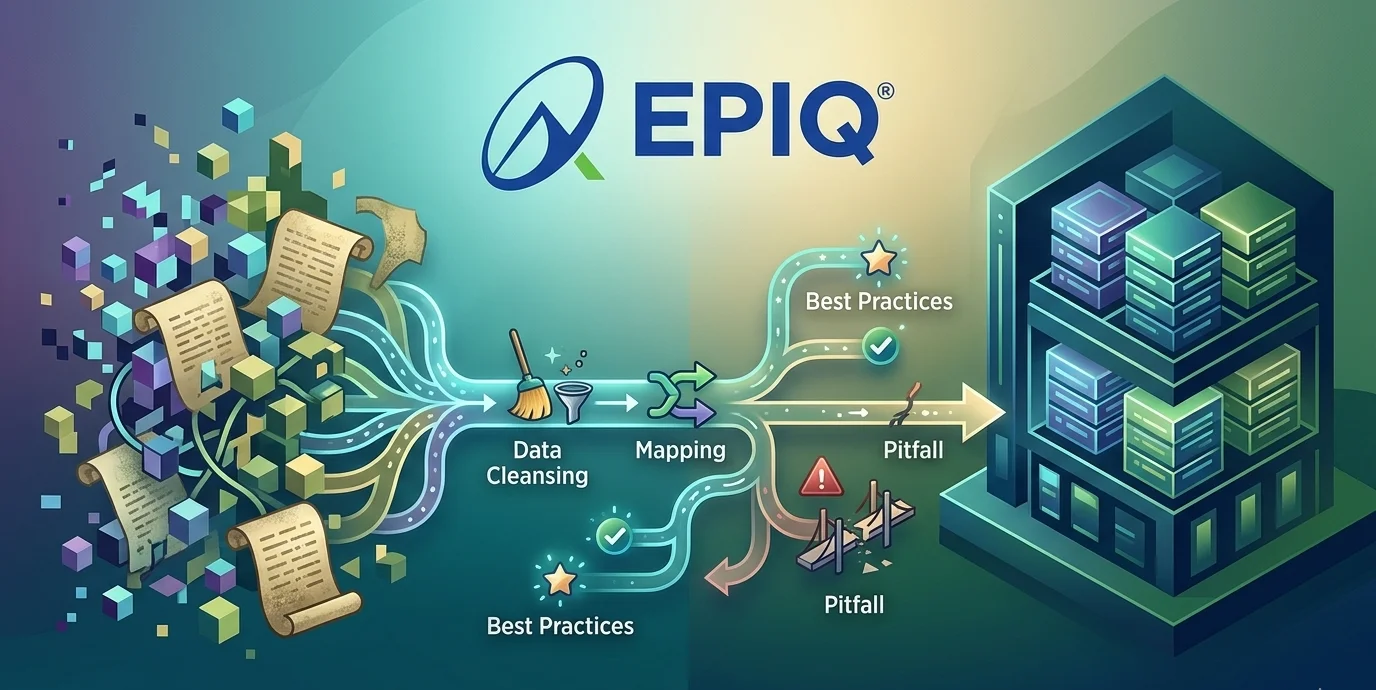
The definitive playbook for migrating data to NetSuite — covering scope planning, field mapping, data cleansing, testing protocols, common errors, and how to go live without disruption.
If you are planning to implement NetSuite, there is one area that consistently derails timelines, inflates budgets, and erodes confidence in the entire project: data migration. The technical act of moving records from a legacy system into NetSuite looks deceptively simple on paper — export, transform, import. In practice, it is the single most complex, risk-laden phase of any NetSuite implementation.
At EPIQ Infotech, we have guided hundreds of mid-market and enterprise organizations through NetSuite data migrations across North America. The patterns of failure — and success — are consistent. This guide distills everything you need to know: what to migrate, how to map it, how to clean it, how to test it, and how to avoid the mistakes that blow up go-live timelines.
Table of Contents
What Is NetSuite Data Migration?
NetSuite data migration is the structured process of extracting business data from one or more legacy systems — whether that is QuickBooks, Sage, Microsoft Dynamics, SAP, spreadsheets, or a homegrown database — transforming that data to conform to NetSuite’s data model, cleansing it to remove errors and redundancies, validating its accuracy, and finally loading it into your live NetSuite environment.
Done correctly, it gives your organization a clean, reliable foundation from day one. Done poorly, it sets off a chain reaction: inaccurate reports, broken workflows, reconciliation nightmares, and a team that stops trusting the new system and retreats to spreadsheets.
Migration data generally falls into three buckets: master data (the foundational records your system revolves around), transactional data (records of business activity), and historical data (older records needed for compliance or trend analysis). Understanding which category each piece of data belongs to determines your migration strategy for it.
What Data Should You Migrate to NetSuite?
One of the most costly mistakes in any NetSuite data migration project is migrating everything. Legacy systems accumulate years of duplicate entries, obsolete records, and dirty data. Your goal is to bring forward only the data that adds business value — not to replicate technical debt into a new system.
| Data Category | Specific Records | Priority | Notes |
|---|---|---|---|
| Chart of Accounts | Account structure, GL codes | Must Migrate | Rarely 1:1 — restructure to use NetSuite dimensions |
| Customer Records | Names, addresses, contacts, payment terms | Must Migrate | Primary duplicate cleanup point |
| Vendor Records | Vendor profiles, bank details | Must Migrate | Verify tax ID and payment info accuracy |
| Item Records | Products, services, pricing | Must Migrate | Coordinate with physical inventory count |
| Open Transactions | Invoices, bills, orders | Must Migrate | Critical for financial continuity |
| Financial Balances | Opening balances | Must Migrate | Enter as journal entries |
| Employees / HR | Employee profiles | Must Migrate | Required for workflows & permissions |
| Historical Transactions | Past invoices, orders | Conditional | Usually 1–2 years is sufficient |
| Notes & Attachments | Files, notes | Conditional | Prioritize by importance |
| Legacy Customizations | Reports, workflows | Do Not Migrate | Rebuild in NetSuite |
The NetSuite Data Migration Process: Phase by Phase
Successful NetSuite data migrations follow a disciplined, phased approach. Skipping or shortcutting any phase is where projects go sideways — typically at the worst possible moment: the week before go-live.
Inventory all source systems, identify data owners, document formats, and define what data will migrate.
Export raw data from legacy systems and document extraction details for audit tracking.
Deduplicate records, standardize formats, and remove obsolete data with business team involvement.
Create field-level mappings between source systems and NetSuite, including transformation logic.
Apply transformations and validate results in a NetSuite sandbox environment.
Run full migration rehearsals, validate record accuracy, and time the process.
Execute migration in sequence during the cutover window and monitor all data loads.
Reconcile data, validate accuracy with teams, and stabilize system performance.
Data Cleansing Techniques for NetSuite Migrations
Poor data quality is the number-one root cause of failed or delayed NetSuite implementations. Dirty data migrates fast, but cleaning it in a live NetSuite environment is exponentially more painful than cleaning it in advance. Here is how to approach data cleansing systematically before you migrate data to NetSuite.
Step 1 — Audit Your Source Data
Start with a comprehensive data quality audit. Profile your source data to identify duplicate records, missing required fields, inconsistent formats, invalid references, and orphaned records.
Step 2 — Deduplicate Master Records
Most legacy systems accumulate duplicate customer and vendor records over years of manual data entry. Standardize and merge duplicate entities before migration.
Step 3 — Standardize Formats
Standardize formats for dates, phone numbers, country codes, and currencies. Ensure consistency with NetSuite requirements to prevent import failures.
Step 4 — Validate References & Dependencies
Validate that all referenced records exist before importing transactions. Load data in the correct sequence to avoid failures.
Step 5 — Assign Data Ownership
Assign data owners within business teams to validate records and ensure accuracy before migration.
- Remove all duplicate customer, vendor, and item records before extraction
- Standardize date formats to match NetSuite preferences
- Verify all reference values map correctly
- Ensure UTF-8 encoding to prevent import errors
- Populate all required fields before staging
- Validate currency codes and subsidiary mappings
- Archive obsolete records instead of migrating them
- Confirm inventory quantities match physical counts
Data Mapping Strategies for NetSuite
Data mapping is the process of establishing a direct correspondence between each field in your source system and its destination field in NetSuite. A mapping that seems obvious on the surface often reveals complexity underneath — formatting differences, character limits, and NetSuite-specific structures that do not exist in legacy systems.
Build a Formal Field Mapping Document
Your mapping document should capture source fields, target NetSuite fields, transformation rules, sample values, and whether each field is required or optional.
Understand NetSuite-Specific Data Structures
NetSuite introduces unique structures such as subsidiaries, departments, classes, and locations. These require thoughtful mapping and often a redesign of how data is structured compared to legacy systems.
Use External IDs as Your Migration Keys
External IDs create a persistent link between legacy records and NetSuite records. They are critical for linking related records and simplifying post-migration updates.
CUST-001, Acme Corporation, billing@acme.com, 415-555-0100
CUST-002, Beta Industries Inc., ar@beta.com, 312-555-0200
Map the Chart of Accounts Carefully
Chart of accounts mapping is business-critical work. It requires collaboration with finance teams to ensure accurate financial reporting and alignment with NetSuite’s structure.
NetSuite Data Migration Tools: A Comparison
NetSuite offers several native and third-party mechanisms for importing data. Choosing the right tool for each data type and volume is critical — the wrong tool choice can turn a smooth migration into a weeks-long ordeal.
| Tool | Best For | Considerations |
|---|---|---|
| CSV Import Assistant | ✓ Small to medium datasets ✓ Standard record types ✓ No coding required | ✗ Slow for large volumes ✗ Limited transformations |
| SuiteTalk SOAP API | ✓ Large datasets ✓ Complex relationships ✓ Full control | ✗ Requires developers ✗ Governance limits |
| REST API | ✓ Modern integrations ✓ Real-time sync ✓ Better performance | ✗ Limited record support ✗ Developer expertise needed |
| Celigo / Boomi / MuleSoft | ✓ Complex integrations ✓ Multi-system migration ✓ Reusable workflows | ✗ Licensing costs ✗ Setup complexity |
| SuiteScript (Automation) | ✓ Automated imports ✓ Scheduled jobs ✓ Reusable mappings | ✗ Script limits ✗ Requires coding knowledge |
Testing Protocols: How to Validate Your Migration
Testing is where most teams cut corners — and where migration risk concentrates. A single untested assumption can corrupt entire datasets. Here is the testing protocol used to validate NetSuite data migrations.
Unit Testing — Validate Individual Data Types
Import a small subset of records into your sandbox. Verify field mapping, required fields, and reference relationships before scaling up.
Integration Testing — Validate Data Relationships
Validate relationships between records such as customers and invoices. Ensure data flows correctly across linked transactions.
Full Dry-Run Migration
Run complete migration rehearsals. Validate record counts, reconcile financials, and involve business users for validation.
Performance Testing
Test system performance with full data loads. Evaluate search speed, reporting, and overall responsiveness.
UAT — User Acceptance Testing
Business users validate real workflows using migrated data. Formal sign-off ensures readiness for production.
- Verify record counts match source data for all record types
- Reconcile AR and AP balances with the legacy system
- Confirm the trial balance matches the cutover date records
- Spot-check 5–10% of migrated records manually
- Verify inventory quantities match physical count
- Test workflows and automation with migrated data
- Ensure the open transactions process is completed correctly
- Obtain sign-off from all functional teams before go-live
Common NetSuite Data Migration Errors — and How to Avoid Them
These are the most common failure patterns seen across NetSuite implementations — often discovered at the worst possible moment. Understanding them in advance is the difference between a smooth go-live and weeks of post-launch fire drills.
Starting Migration Too Late
Teams delay migration and discover data issues during cutover, when time is limited and risk is highest.
Start in Week 1, Not Week 10
Begin extraction, cleansing, and mapping early in the implementation process.
Skipping the Dry Run
Without rehearsal, issues appear during production cutover when delays are costly.
Minimum Two Full Rehearsals
Run full dry runs in the sandbox to validate timing, accuracy, and completeness.
Not Reconciling Opening Balances
Financial mismatches post go-live create major operational issues.
Reconcile to the Penny Before Sign-Off
Ensure all financial balances match exactly before go-live.
Migrating Too Much History
Excess data increases complexity, cost, and performance issues.
Migrate 1–2 Years of Detail
Keep recent data and summarize older records.
NetSuite Data Migration Timeline: A Realistic View
One of the most common planning failures is underestimating how long data migration takes. Below is a realistic timeline for a mid-market NetSuite implementation.
Discovery & Source Audit
Inventory source systems, identify data owners, and define migration scope.
Data Extraction & Initial Cleansing
Extract data and begin deduplication, format standardization, and cleanup.
Field Mapping & Transformation Rules
Build mapping documents and define transformation logic.
First Test Migration (Sandbox)
Load sample data and validate mapping and transformations.
Full Dress Rehearsal #1
Perform full migration test, validate financials, and conduct UAT.
Full Dress Rehearsal #2
Final validation, sign-off, and cutover planning.
Production Cutover
Execute final migration and go live on NetSuite.
Stabilization & Monitoring
Monitor performance, resolve issues, and establish data governance.
Post-Migration: Keeping NetSuite Clean Long-Term
A successful NetSuite data migration is not the end of the story — it is the beginning. The data governance practices you establish in the first 90 days after go-live determine whether NetSuite remains a clean, trusted system or gradually accumulates the same quality issues that plagued your legacy environment.
Establish Data Entry Standards
Define and document naming conventions, formatting rules, and required field standards. Implement validation rules and required fields within NetSuite to enforce consistency at the point of entry.
Implement an Audit Trail
Maintain a migration log and track changes using NetSuite system notes. This helps with compliance, troubleshooting, and long-term data integrity.
Schedule Regular Data Health Reviews
Run periodic audits to identify duplicate records, missing fields, and inconsistencies. Address issues early before they grow into larger system problems.
Monitor Performance Continuously
Monitor system performance closely after go-live. Evaluate load times, reports, and integrations to ensure the system remains efficient as data volume grows.
Ready to Migrate Data to NetSuite?
EPIQ Infotech’s NetSuite practice has guided organizations across North America through successful data migrations — on time, on budget, and with data they can trust. Start with a free migration assessment.
Frequently Asked Questions
How long does a NetSuite rescue project typically take?
It depends on the severity and scope of the issues. A diagnostic audit typically takes two to four weeks. Stabilization and remediation can range from six weeks for targeted fixes to three to six months for a comprehensive overhaul. EPIQ provides a realistic timeline after the initial assessment.
Do we have to start the implementation over from scratch?
In most cases, no. The purpose of a rescue engagement is to preserve what works and fix what does not. A complete re-implementation is typically only recommended when the existing configuration is so fundamentally flawed that remediation would cost more than starting fresh.
What if we are still under contract with our current implementation partner?
EPIQ can work alongside your existing partner or take over the engagement entirely, depending on the situation. We begin with an independent assessment, so you have an objective view of where things stand before making any decisions about partner transitions.
How much does NetSuite project rescue cost?
Costs vary based on the complexity of the issues, the number of modules involved, and the extent of customization and integration work required. EPIQ offers a fixed-fee diagnostic assessment so you can understand the scope and investment needed before committing to a full rescue engagement.
Can EPIQ help if we haven’t gone live yet, but the project is stalled?
Absolutely. Pre-go-live rescue is often more cost-effective than post-go-live remediation because you can correct courses before bad data and broken processes become embedded in daily operations. If your project has stalled, it is better to pause, audit, and bring in a specialized rescue partner than to push a broken system live.
What is stakeholder alignment in an ERP implementation?
Stakeholder alignment means ensuring executives, project teams, and department users all understand the goals of the implementation. Clear roles, responsibilities, and expectations prevent conflicting requirements and help the project move forward efficiently.
How long does a NetSuite implementation typically take?
Implementation timelines vary widely depending on the scope of the project. Smaller implementations may take three to four months, while complex multi-department or multi-entity deployments can take six months or longer.